This article contains affiliate links: if you buy through them we may earn a commission, at no extra cost to you. Learn more.
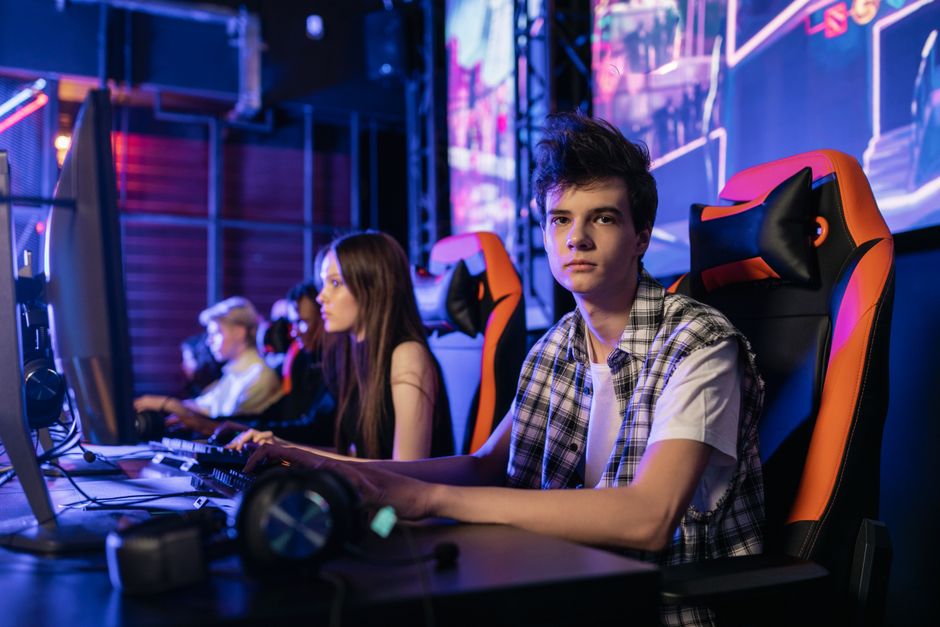
Thursday night, league night. The high school club has three matches to play, and by the second map the player in the corner is sitting on the edge of a borrowed kitchen chair, shoulders up by his ears, feet dangling. Across town, a 30-something plays ranked after work in the same office chair she has sat in all day. The best gaming chairs are not the ones with the loudest stitching; they’re the ones that fit your body, let your feet rest flat and hold your lower back while you lean into a clutch round. Below are seven chairs really sold in 2026, gaming chairs and ergonomic office chairs side by side, with the honest differences, the size and weight limits, and how to set one up using the US workplace safety agency’s advice.

Prices change often. The prices below are what we saw at the maker or a major retailer in October 2026; check the current price before you buy.
Our top picks
Secretlab Titan Evo (Regular)
- Adjustable built-in lumbar
- 4D armrests, recline
- 5 ft 7–6 ft 2, 285 lb
Steelcase Series 1
- Adjustable seat depth and lumbar
- Weight-activated recline
- 300 lb, 12-year warranty
SIHOO M18
- Mesh back, adjustable lumbar
- Adjustable headrest
- 5 ft 6–6 ft 2, 330 lb
Corsair TC100 Relaxed
- Wider 375 mm seat
- Lumbar and neck pillows
- 90–150° recline
Razer Iskur V2 X
- Built-in lumbar arch
- Up to 152° recline
- 299 lb
Anda Seat Kaiser 4 (Large)
- 6D armrests
- 4-level pop-out lumbar
- Up to 5 ft 11, 260 lb
Secretlab Titan Evo XL
- 5 ft 11–6 ft 9
- Up to 395 lb
- Adjustable lumbar, 4D arms
Gaming chairs compared
| Chair | Type | Fit (maker or listing) | Lumbar support | About (Oct 2026) |
|---|---|---|---|---|
| Secretlab Titan Evo (Regular) | Gaming | 5’7″–6’2″, 285 lb | Built-in, adjustable | $669 |
| Steelcase Series 1 | Office | 300 lb | Adjustable | $499 |
| SIHOO M18 | Office (mesh) | 5’6″–6’2″, 330 lb | Adjustable | $147 |
| Corsair TC100 Relaxed | Gaming | 120 kg (about 264 lb) | Pillow | $180 |
| Razer Iskur V2 X | Gaming | 299 lb | Built-in arch (fixed) | $250 |
| Anda Seat Kaiser 4 (Large) | Gaming | Up to 5’11”, 260 lb | 4-level pop-out | $549 |
| Secretlab Titan Evo XL | Gaming | 5’11″–6’9″, 395 lb | Built-in, adjustable | $729 |
Gaming chair or ergonomic chair for gaming?
“Gaming chair” is a style, not a health standard: usually a racing-seat shape, a high back, side bolsters, a neck pillow and a deep recline. An office ergonomic chair is built around adjustments: seat depth, lumbar height, recline tension, arms that move in several directions. OSHA’s computer-workstation guide doesn’t care what a chair is called. It asks for a backrest with height-adjustable lumbar support that fits the small of your back, a recline of at least 15 degrees, a seat you can raise or lower until your whole foot rests flat with the back of the knee slightly higher than the seat, a seat pan that supports most of the thigh without pressing behind the knee (seat-depth adjustment helps shorter and taller users), soft armrests that let your shoulders relax and elbows stay close, and a five-leg base. Some gaming chairs tick most of those boxes; some don’t. Many players who sit all day for school or work find an ergonomic chair for gaming is the better buy, while others want the recline and the wraparound feel of a gaming chair for long sessions. Either works if it fits you.
The best gaming chairs for 2026
1. Secretlab Titan Evo (Regular): best overall
The Titan Evo is the gaming chair that comes closest to an office chair’s adjustability. It has a built-in, adjustable lumbar support instead of a loose pillow, a memory-foam head pillow that snaps on magnetically, cold-cure foam, 4D armrests and a reclining backrest. Secretlab sells it in three sizes and recommends the Regular for players about 5’7″ to 6’2″; the Amazon title lists it at 285 lb. We saw it at about $669 on Amazon. The Small size (Secretlab recommends it for 5’6″ and under) showed as unavailable on Amazon when we checked.
- Good: real built-in lumbar adjustment; three sizes; flexible armrests.
- Watch out: expensive; the foam is on the firm side for some people; pick the size by height and weight, not color.
- Best for: serious players who want a gaming chair that adjusts like a good office chair.
Check the Secretlab Titan Evo price on Amazon
2. Steelcase Series 1: best office ergonomic chair
If the same chair has to work for school, work and ranked, this is the one we’d look at first. The Series 1 listing includes an adjustable seat depth, fully adjustable arms (up and down, pivot, forward and back, side to side), adjustable lumbar, a flexing mesh back, and a synchronized, weight-activated recline with tension adjustment and lock. Amazon’s listing gives a 300 lb maximum and a 12-year manufacturer warranty, and this version has casters for carpet. We saw it at about $499 on Amazon.
- Good: seat-depth adjustment that most gaming chairs lack; long warranty; compact footprint.
- Watch out: the headrest is an option not included in this configuration, and there’s less recline than a gaming chair; casters chosen for carpet.
- Best for: players who sit for hours every day, not just on game nights.
Check the Steelcase Series 1 price on Amazon
3. SIHOO M18: best budget ergonomic chair
A breathable mesh back, adjustable lumbar support, an adjustable headrest, 2D armrests and a tilt lock for well under $200. SIHOO says it suits people about 5’6″ to 6’2″ and that it passed a BIFMA test; Amazon’s specs list a 330 lb maximum and a seat height of about 17.3 to 21.3 inches. We saw it at about $147 on Amazon (list $170). It’s a simple chair, but it covers the basics OSHA asks for at a student price.
- Good: cool mesh back; adjustable lumbar and headrest; low price.
- Watch out: no seat-depth adjustment; basic 2D arms; not sized for shorter players.
- Best for: students and new players on a tight budget.
Check the SIHOO M18 price on Amazon
4. Corsair TC100 Relaxed: best budget gaming chair
If you want the gaming-chair look and a deep recline without spending $500, the TC100 Relaxed is a sensible start. Corsair gives it a wider, 375 mm seat with relaxed bolsters, leatherette upholstery, a 100 mm seat-height range on a class 4 gas lift, adjustable armrests and a backrest that reclines from 90 to 150 degrees. Lumbar support is an included foam pillow rather than a built-in mechanism, plus a detachable memory-foam neck pillow. Amazon lists a 120 kg (about 264 lb) maximum. We saw it at about $180 on Amazon, with a list price of $270.
- Good: roomier seat than most racing-style chairs; lots of recline; fair price.
- Watch out: a pillow is not the same as adjustable lumbar support; leatherette can feel warm.
- Best for: casual and weekend players who want a gaming chair on a budget.
Check the Corsair TC100 Relaxed price on Amazon
5. Razer Iskur V2 X: best mid-price gaming chair
The V2 X is Razer’s simpler Iskur. It has a lumbar arch built into the backrest, a widened seat with reduced side edges, thick high-density foam, breathable fabric, 2D armrests (height and rotation) and a recline of up to 152 degrees. Amazon lists a 299 lb maximum. We saw it at about $250 on Amazon (list $300). Note the trade-off: the lumbar arch is fixed, so it either fits the curve of your back or it doesn’t. If you can, sit in one first.
- Good: lumbar shape built in, no pillow to slide around; wide seat; big recline.
- Watch out: lumbar isn’t adjustable; armrests only move two ways.
- Best for: average-height players who want a step up from budget chairs.
Check the Razer Iskur V2 X price on Amazon
6. Anda Seat Kaiser 4 (Large): most adjustable arms
Armrests matter more than most people think: OSHA wants them to support your forearms while your shoulders stay relaxed. The Kaiser 4 has 6D armrests, a 4-level pop-out lumbar support, a magnetic memory-foam neck pillow, a 90 to 135 degree recline with a 15 degree rocking motion, a steel frame and an aluminum five-point base. Anda Seat recommends this Large size for players up to 5’11” and 260 lb; an XL version is listed for taller and heavier players. We saw the Large in black fabric at about $549 on Amazon.
- Good: very adjustable arms; real lumbar adjustment; easy-clean fabric.
- Watch out: heavy (the listing gives about 72 lb); the Large tops out at 5’11”.
- Best for: players who want to fine-tune arm position for keyboard and mouse.
Check the Anda Seat Kaiser 4 price on Amazon
7. Secretlab Titan Evo XL: best for big and tall
Too many chairs are sized for one body. OSHA says oversize seat pans should be provided for larger users, and the Titan Evo XL is Secretlab’s answer: the same built-in adjustable lumbar, magnetic head pillow and 4D armrests as our top pick, sized for players about 5’11” to 6’9″, with a 395 lb maximum on Amazon. We saw it at about $729.
- Good: real big-and-tall sizing with the same adjustments as the Regular.
- Watch out: the priciest pick here; too big for average-height players, whose feet may not reach the floor.
- Best for: tall or heavier players who sink or overhang in standard chairs.
Check the Secretlab Titan Evo XL price on Amazon
How to choose a gaming chair
- Size first. Check the maker’s height range and the weight limit, and stay inside both. A chair that’s too big leaves your feet dangling; one that’s too small presses on your thighs and hips.
- Adjustable lumbar beats a pillow. OSHA asks for lumbar support you can move to fit your lower back. A loose pillow can work, but it shifts.
- Feet flat, knees just below the hips. Raise the chair until your elbows are about level with the keyboard; if your feet then don’t reach, add a footrest such as the HUANUO adjustable footrest. This is the usual fix for kids at adult desks.
- Arms close, shoulders relaxed. Armrests should let your elbows stay near your body without shrugging. If they block you from reaching the desk, lower them.
- Try it, or buy where returns are easy. OSHA recommends trying chairs before you buy. Fit is personal; reviews aren’t your body.
- No chair replaces moving. OSHA says sitting still in one posture for long periods isn’t healthy: change position, stretch and stand up between matches. Ongoing back, neck or leg pain, numbness or tingling is a reason to see a sports medicine doctor or physical therapist, not to buy a new chair.
The chair is one piece of the setup. Our esports gear page covers desk height, monitor distance, mice and headsets, youth esports helps parents set up a kid-sized station, and esports injuries explains neck, back and wrist pain and when to get help. For the body that sits in the chair, see our mental training tools and massage gun guides, or browse the esports hub and the esports blog.
Gaming chair questions
Are gaming chairs better than office chairs?
Not automatically. “Gaming chair” describes a style, while what matters for comfort is fit and adjustment: lumbar support you can position, seat height, seat depth and armrests. Good office ergonomic chairs often adjust more; gaming chairs usually recline further. Choose the one that fits your body and your desk.
Can a gaming chair fix back pain?
No chair treats back pain. A chair that fits can make long sessions more comfortable, but breaks, movement and strength work matter at least as much. If pain keeps coming back or spreads into a leg, see a sports medicine doctor or physical therapist.
What size gaming chair do I need?
Use the maker’s height and weight range. Secretlab, for example, recommends its Small for 5’6″ and under, Regular for about 5’7″ to 6’2″ and XL for about 5’11” to 6’9″. Sitting back, your feet should rest flat and the seat edge shouldn’t press behind your knees.
How should I sit in a gaming chair?
Back against the backrest with the lumbar support in the small of your back, feet flat on the floor or a footrest, elbows close to your body and about level with the keyboard, and the top of the monitor at or slightly below eye level. Then change position and stand up regularly.
What’s the best gaming chair for a kid?
Most gaming chairs are sized for adults. For a child, a smaller adjustable chair set so the elbows reach the keyboard, plus a footrest so the feet are supported, usually fits better than a big racing-style seat they’ll slide around in.